
Migrate SecretBindings to CredentialsBindings
With the introduction of the CredentialsBinding resource, a new way of referencing credentials in a Shoot was introduced.
SecretBinding resources are deprecated and are no longer supported for Shoots running Kubernetes version 1.34 or higher.
Follow this link if you want to learn more about what the migration does.
Background Information - How the Dashboard Handles Credentials
On the Credentials page, you can view:
- Infrastructure Credentials (used by Shoots to schedule workloads)
- DNS Credentials
DNS Credentials
DNS credentials are created either as:
Secretresources, orWorkloadIdentityresources
They are directly visible in the Dashboard.
Infrastructure Credentials
Infrastructure credentials are always created as a pair:
- A
CredentialsBindingresource - A referenced
SecretorWorkloadIdentityresource
The CredentialsBinding is the resource that is referenced by the Shoot cluster.
The underlying Secret or WorkloadIdentity:
- Is created automatically
- Has the same name as the binding
- Is not directly visible in the Dashboard
Important Version Change
- Historically, the Dashboard created
SecretBindingresources. - Starting with Dashboard version 1.80.0, the Dashboard always creates
CredentialsBindingresources. - Existing
SecretBindingresources are still displayed and can still be used (for supported Kubernetes versions).
How to Distinguish Binding Types
You can identify the binding type in the Dashboard:
- Hover over the icon next to the binding to see its type.
 Secret (SecretBinding) → filled key icon
 Secret (CredentialsBinding) → outlined key icon
 WorkloadIdentity credentials → card symbol (always referenced by a CredentialsBinding)
Migration Steps
The migration consists of three steps:
- Create a
CredentialsBindingfor each existingSecretBinding. - Update all Shoots that still reference a
SecretBindingto use the newCredentialsBinding. - Delete old
SecretBindingresources after all Shoots have been migrated.
Step 1: Create a CredentialsBinding for a SecretBinding
On the Credentials page, SecretBindings now have an additional action button:

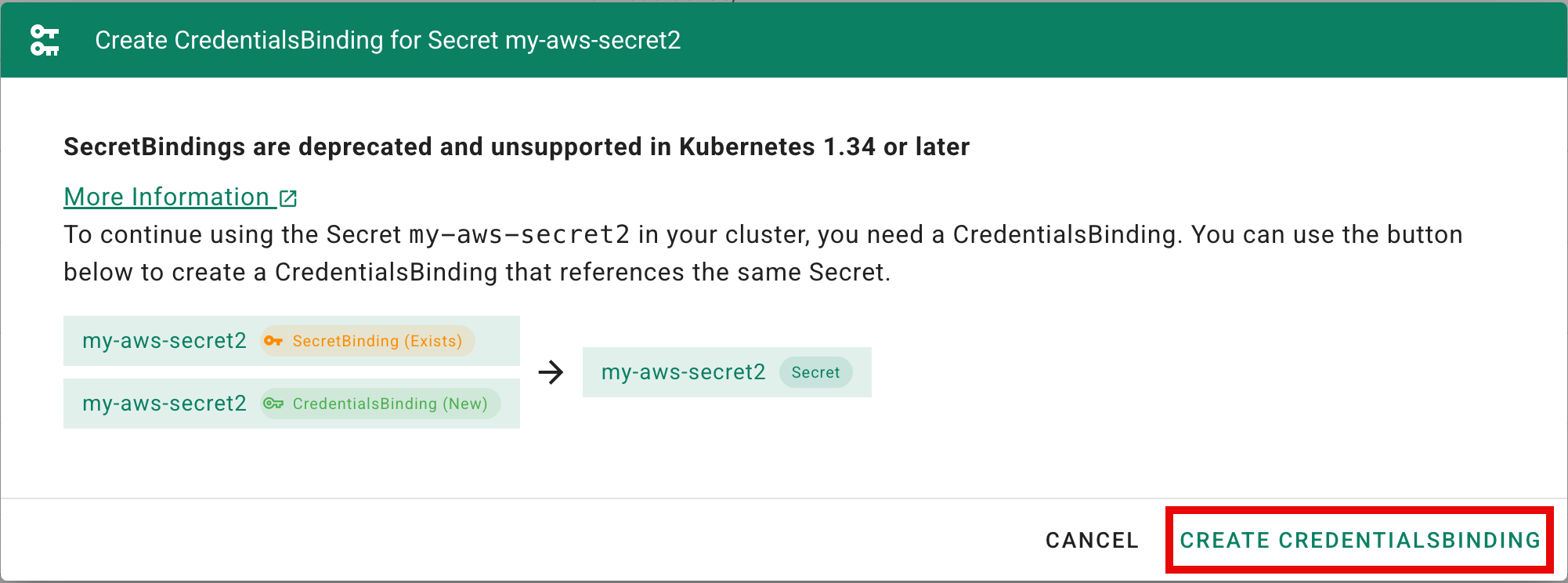
Clicking this button opens a dialog where you can create a new CredentialsBinding for the selected SecretBinding.
When clicking CREATE CREDENTIALSBINDING:
- The Dashboard creates a
CredentialsBinding - It uses the same name as the existing
SecretBinding - It references the same underlying
Secret
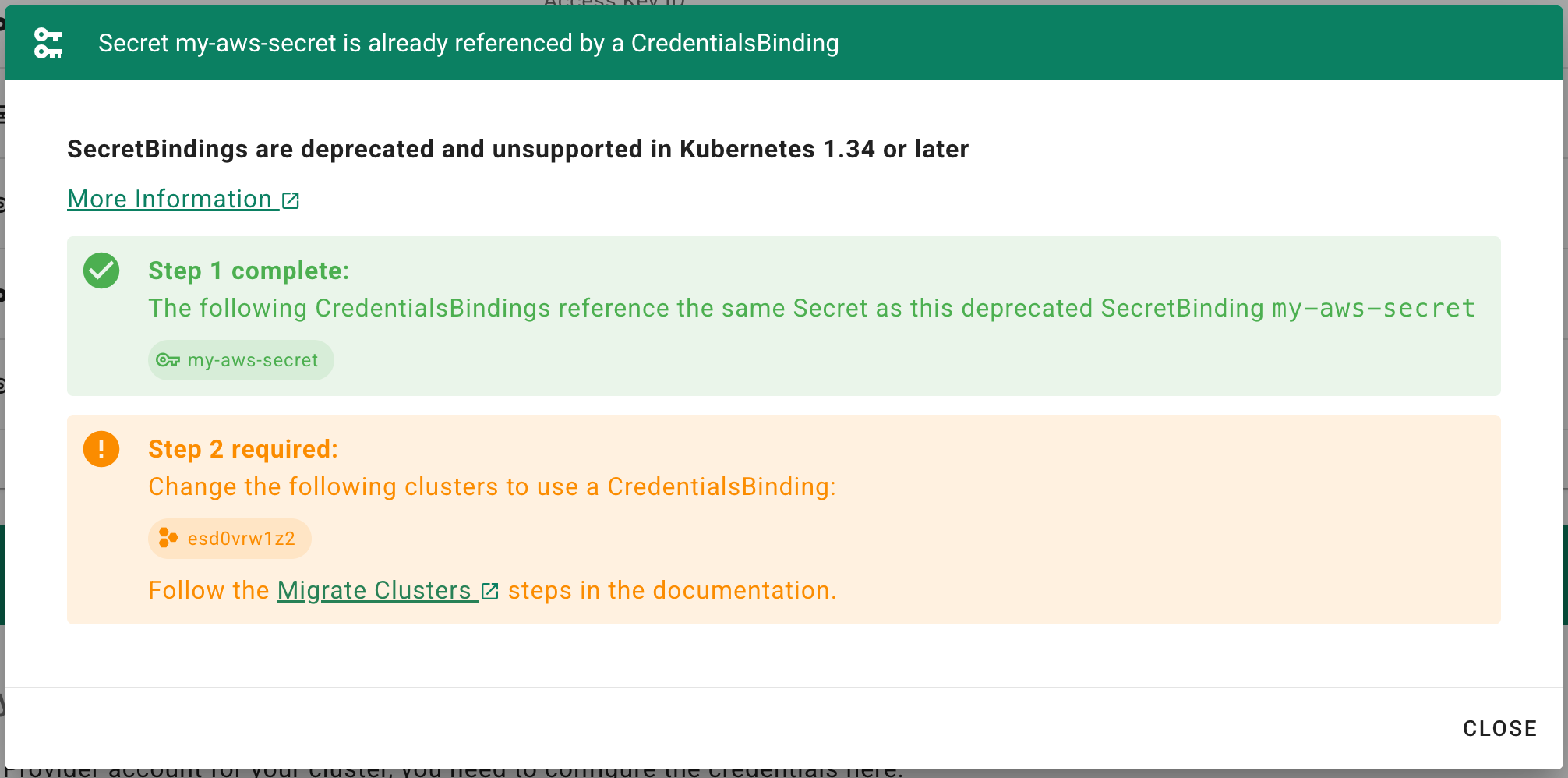
After creation, the dialog shows the current migration status, including an overview of clusters that still need to be migrated.
Step 2: Migrate Clusters
After creating CredentialsBinding resources for your SecretBindings, you must update your Shoots.
To migrate a Shoot:
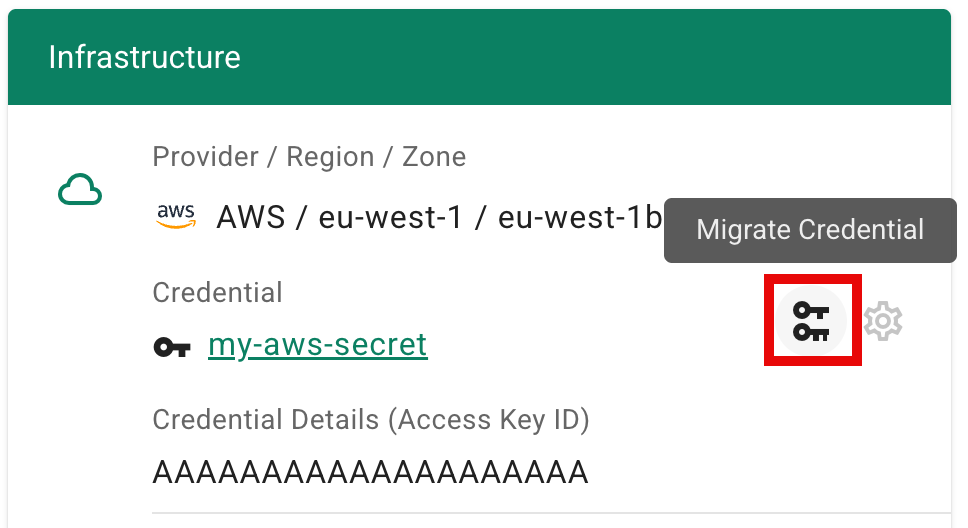
- Navigate to the cluster details page
- Click the key-change icon button (Migrate Credential) next to the credential information
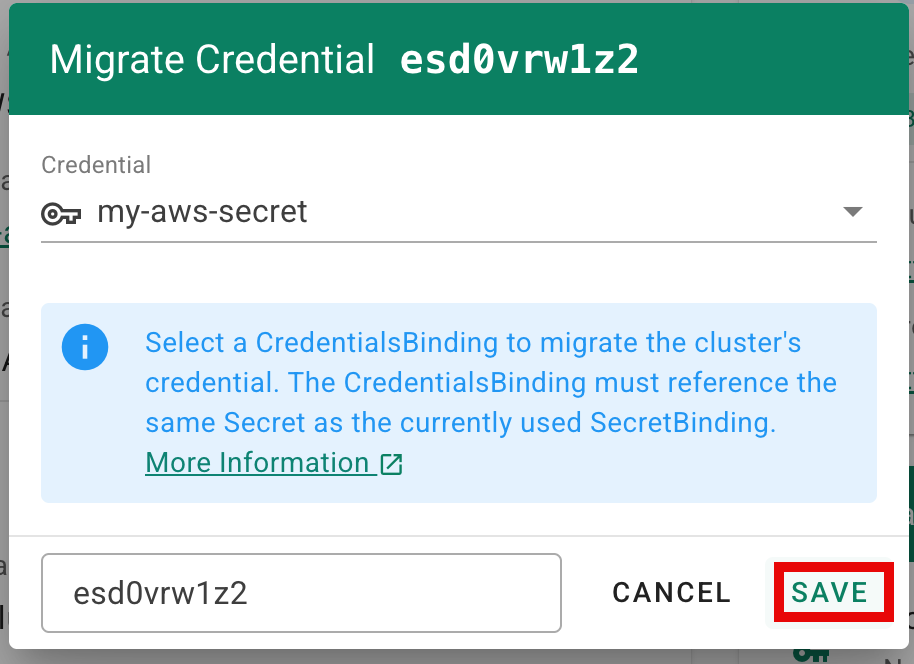
- A dialog opens where you can select a
CredentialsBinding
You can only select a CredentialsBinding that references the same Secret as the currently used SecretBinding.
NOTE
If no suitable binding is shown, ensure that you completed Step 1 and created a CredentialsBinding for the corresponding SecretBinding on the Credentials page.
Step 3: Cleanup
If a SecretBinding is no longer referenced by any Shoots because they were migrated to use a CredentialsBinding, it can be safely deleted.